AI Virtual Staging for Real Estate Agents: A Listing Agent's Playbook
I watched a listing agent in Phoenix lose a $450,000 listing last year. Not because she was bad at her job — she's one of the top producers in her brokerage. She lost it because the competing agent walked into the listing presentation with virtually staged photos of the seller's vacant ranch already done. Before the seller even signed.
That move cost maybe $5. It won the listing.
This is the new reality for listing agents. Virtual staging isn't a nice-to-have anymore. It's table stakes. And the agents who build it into their standard workflow — not as an afterthought, but as a core part of their listing process — are the ones eating market share right now.
Why should listing agents care about virtual staging in 2026?
The NAR's 2025 Profile of Home Buyers and Sellers found that 97% of buyers used the internet in their home search. That number has barely budged in three years because it was already at the ceiling. Your listing photos are your storefront. Full stop.
Here's the part that should keep you up at night: buyers spend an average of 3 seconds deciding whether to click on a listing or scroll past it. Three seconds. That's the window you have to make an impression, and an empty living room with beige carpet isn't going to cut it.
Staged listings get 40% more clicks online than vacant ones. They sell 73% faster. They sell for 5–25% more. These aren't made-up numbers — they come directly from the NAR and the Real Estate Staging Association. The data has been consistent for over a decade.
The only thing that's changed is the cost.
How does virtual staging fit into a listing agent's workflow?
Here's where most agents get it wrong. They treat virtual staging as something they do after they've already photographed the property and uploaded to MLS. That's backwards.
Virtual staging should be part of your pre-listing package. Here's the workflow I've seen top producers use:
**Before the listing appointment:** Drive by the property or ask the seller to text you a few room photos. Run those through Stagrr to generate staged versions. Print them out or load them on your tablet. You now walk into the listing presentation with a visual of what the marketing will look like. Sellers love this. It shows initiative and gives them confidence in your marketing plan.
**After signing:** Schedule professional photography. On the same day you get the photos back, upload the empty rooms and generate staged versions. This should take 15–20 minutes for a full house. Pick styles that match the property's architecture and target buyer demographic. A mid-century ranch gets mid-century modern staging. A new-construction colonial gets warm contemporary. We covered this in our post on staging styles that sell homes fastest.
**Listing day:** Upload both the professionally photographed empty rooms and the staged versions to MLS. Lead with the staged photos. Include the empty room shots further down in the gallery so buyers can see the actual space.
**During showings:** Have the staged images printed as 8x10s or displayed on a tablet at the property. When a buyer walks into an empty room, hand them the staged version. "Here's one way this room could look." It's a simple move that dramatically improves showing feedback.
What does the ROI look like on a single listing?
Let's run the numbers on that $450K vacant ranch I mentioned up top.
The property is a 3-bedroom, 2-bath ranch in a suburban market. It's been sitting empty since the sellers moved out six weeks ago. Every month it sits, the sellers are paying $2,800 in mortgage, taxes, insurance, and utilities on a house nobody lives in.
Traditional staging quote: $3,200 for living room, primary bedroom, and kitchen. That includes furniture rental for 60 days, delivery, setup, and removal.
Virtual staging cost: $5 total. Five rooms, $1 each. Three staged variations per room. Done in under 30 minutes.
The savings are obvious. But here's what matters more: speed. The traditional stager had a two-week backlog. Virtual staging was done the same afternoon the photos came back. That's two weeks of additional market exposure — and in a market where homes go stale fast, those two weeks matter.
That ranch sold in 11 days after virtual staging. The sellers' agent estimated that without staging, based on comparable vacant listings in the area, it would have sat for 45–60 days. At $2,800/month in carrying costs, that's roughly $4,700 in savings for the seller beyond the staging cost difference.
Total investment: $5. Total estimated savings: $7,900+. That's a return the seller will remember — and talk about to their friends.
How do you handle MLS compliance and disclosure?
This is the part agents get nervous about. Don't be. It's straightforward.
Most MLS systems have a "Virtual Staging" or "Digitally Enhanced" flag in the photo upload section. Use it. Every single time. No exceptions.
Beyond the MLS flag, add a disclosure line in your listing description. Something like: "Select photos have been virtually staged to help buyers visualize the space. Property is being sold unfurnished." Clear, professional, no drama.
As of early 2026, at least 27 states have specific guidance or requirements around virtual staging disclosure in real estate listings. The trend is toward more regulation, not less. The safest approach is full transparency regardless of what your state currently requires.
Here's the thing agents miss: disclosure doesn't hurt you. Buyers aren't stupid. They understand that the furniture in the photos might not be physically there. What they want is help imagining themselves in the space. A recent Redfin survey found that 82% of buyers said virtually staged photos were helpful in their search, even when they knew the staging was digital. They appreciate the visualization aid.
The agents who get into trouble are the ones who try to pass virtual staging off as real. Don't be that agent.
What about client presentations and seller buy-in?
Some sellers push back on virtual staging. Usually it's one of two objections:
"Won't buyers be disappointed when they show up and the house is empty?" No. Not if you disclose properly. Buyers who have seen the staged photos and know they're virtual still show up at a higher rate than buyers who saw only empty room photos. The staging got them in the door. That's its job.
"I'd rather do real staging." Great — if the seller wants to spend $3,000–$5,000, let them. Virtual staging isn't about convincing sellers to cheap out. It's about offering an alternative that gets 90% of the result at 0.1% of the cost. For sellers who can't afford traditional staging or don't want to wait for it, virtual staging is the answer.
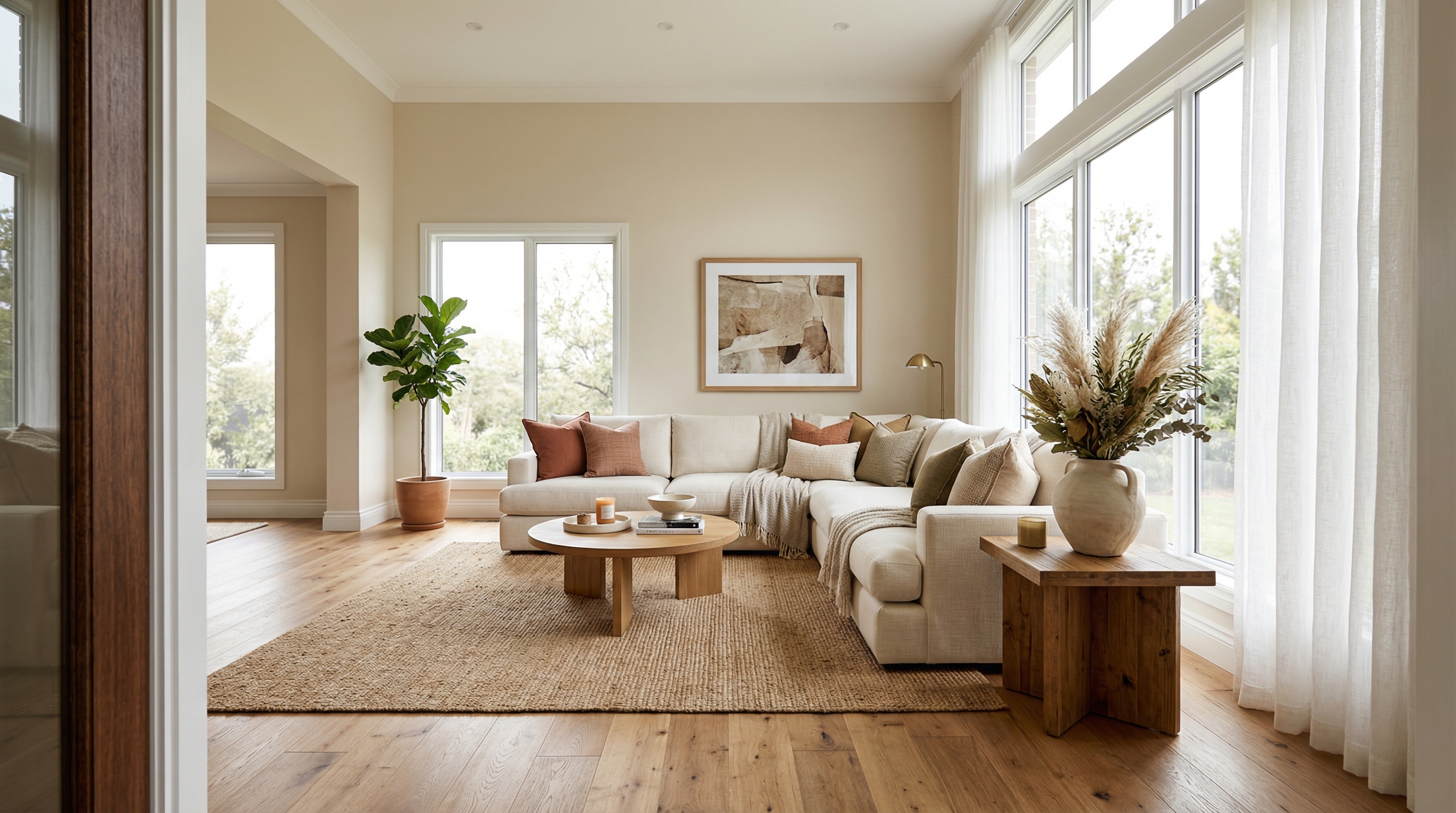
For your listing presentation, I'd recommend showing a side-by-side: the empty room on the left, the staged version on the right. Let the image do the selling. I've never had a seller look at that comparison and say "Nah, let's go with the empty room."
Can you use virtual staging on occupied homes?
Yes, and this is an underutilized play. If a seller's furniture is dated, mismatched, or just not photographing well, you can virtually re-stage the room. The AI removes the existing furniture and replaces it with staging that matches the target buyer's taste.
This avoids the awkward conversation of telling a seller their beloved floral couch is hurting the listing. Instead: "We'll photograph the home as-is for the showing experience, and we'll create some enhanced marketing photos that show the rooms in a more neutral style." Diplomatic. Effective.
How do top agents scale this across their entire book?
The agents who really get value from virtual staging aren't doing it on one listing — they're doing it on every listing. Every single one.
At $1 per room, there's no listing where the cost doesn't make sense. A $150K starter home? Stage it. A $2M estate? Stage it. A rental listing you're helping a client with as a favor? Stage it.
Build it into your listing checklist right between "order photography" and "write listing description." Make it automatic. The cumulative effect on your brand is significant — every listing in your portfolio looks polished and professional, which matters when you're competing for the next listing appointment.
One agent I know in Dallas stages every listing in three different styles and creates a "Design Options" PDF that she emails to every buyer who requests a showing. It takes her an extra 10 minutes per listing. She told me it's the single most-commented-on element of her marketing. Buyers love it. Sellers love hearing that buyers love it.
What mistakes should agents avoid with virtual staging?
A few pitfalls to watch:
**Don't over-stage.** If a room is 10x10, don't fill it with furniture that would only fit in a 20x20 space. The AI is good at scale, but review the results. If something looks crammed, try a minimalist style instead.
**Don't stage structural problems away.** If there's water damage on the ceiling, don't pick a staging that conveniently crops it out or distracts from it. That's a disclosure issue waiting to happen.
**Don't skip the empty room photos.** Always include at least one unstaged photo of each room in the MLS gallery. Buyers want to see the actual space, and omitting unstaged photos feels deceptive even if it technically isn't.
**Don't use virtual staging as a substitute for cleaning and minor repairs.** A clean, well-lit empty room stages better than a dirty one. Basic prep still matters.
Where does virtual staging go from here?
The trajectory is clear. Virtual staging is getting cheaper, faster, and more realistic every quarter. Within the next year or two, we'll see real-time staging during video tours and 3D walkthroughs. The technology is moving that fast.
The agents who build this into their practice now — who make it as automatic as ordering a sign for the yard — are positioning themselves well. The agents who wait until it's universal will have lost years of competitive advantage.
Your move.